Paper page
Each paper has its own page with metadata, abstract, tags, projects, notes, highlights and the PDF.
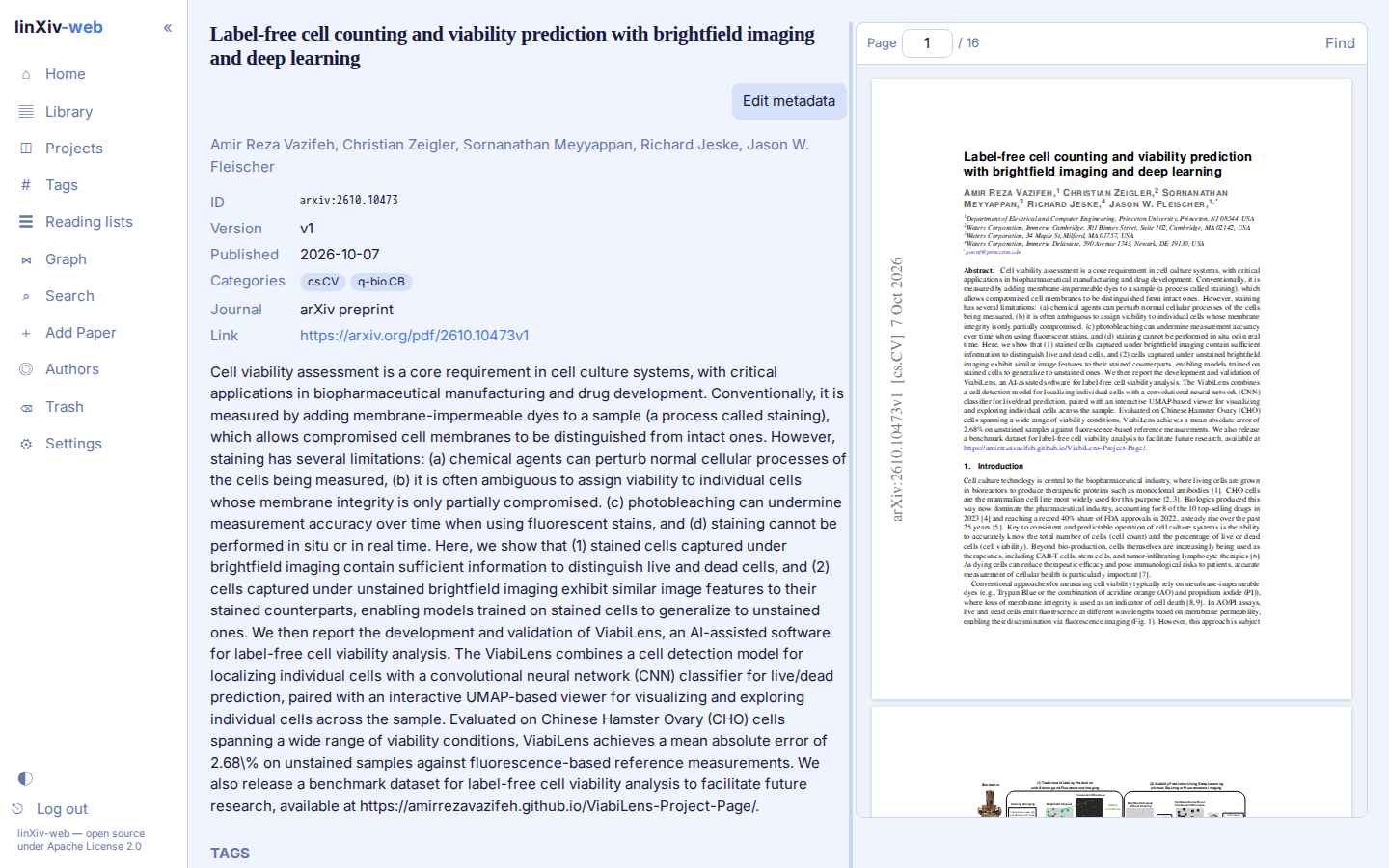
Metadata
The top block shows id, version, publication date, categories, journal and link. Edit metadata opens an editor that can look the paper up in Crossref, arXiv, OpenAlex, PubMed or bioRxiv/medRxiv and show the result next to the stored values. Pick the fields to take, then save. The default lookup source and which sources are on are set in Settings → Library → Metadata lookup.
A paper can be saved without authors; linXiv then stores the author as Unknown.
PDF reader
View PDF opens the PDF to the right of the page. Drag the bar between the two panes to resize them; the width is remembered in your browser. Scrolling inside the PDF stays inside the PDF. On narrow screens the panes stack.
The reader has page navigation and find (Ctrl/Cmd+F or /). Select text to create a highlight. Open in new tab opens the file in the browser's own viewer. Delete PDF waits 5 seconds with an Undo button before it deletes.
Tags, projects and notes
Add tags as a comma-separated list, or use AI Tags for suggestions when AI features are on. The Projects section adds the paper to an existing project or reading list, or creates a new one.
Notes are Markdown. Export .md saves the paper's notes for Obsidian. AI summary writes a summary from the abstract, or from the abstract plus PDF text, and saves it as a note when you ask.
Full text
For arXiv papers, Fetch TeX source downloads the LaTeX source and indexes its text for search. For other papers, Index PDF text indexes the PDF's text instead. A background worker can index all pending arXiv papers; see Settings.
Versions
arXiv version monitoring in Settings → Library checks saved arXiv papers for newer versions and lists each one with a link to the paper and a Dismiss button.